HOME

ABOUT US

OUR PROJECT

CONTACT US

SUPPORT

Create Variations

Introduction

This guide explains how to create product variations in WooCommerce. Variations allow you to sell a product with different options such as size, color, material, or style, all under one product listing.

Before You Start

Make sure:

  1. You have Administrator or Shop Manager access.

  2. WooCommerce is installed and activated.

  3. The product already exists.

  4. You understand the variation options you want to offer (e.g. Size: S, M, L).

Access Attributes

  1. From the WordPress dashboard, go to Products.

  2. Click Attributes.

This page allows you to create parent attributes that will later be used for product variations.
Create a Parent Attribute
  1. In the Name field, enter the attribute name
    Example: Color, Size

  2. Leave other settings as default unless customization is needed.

  3. Click Add attribute.

The attribute will now appear in the attributes list on the right.

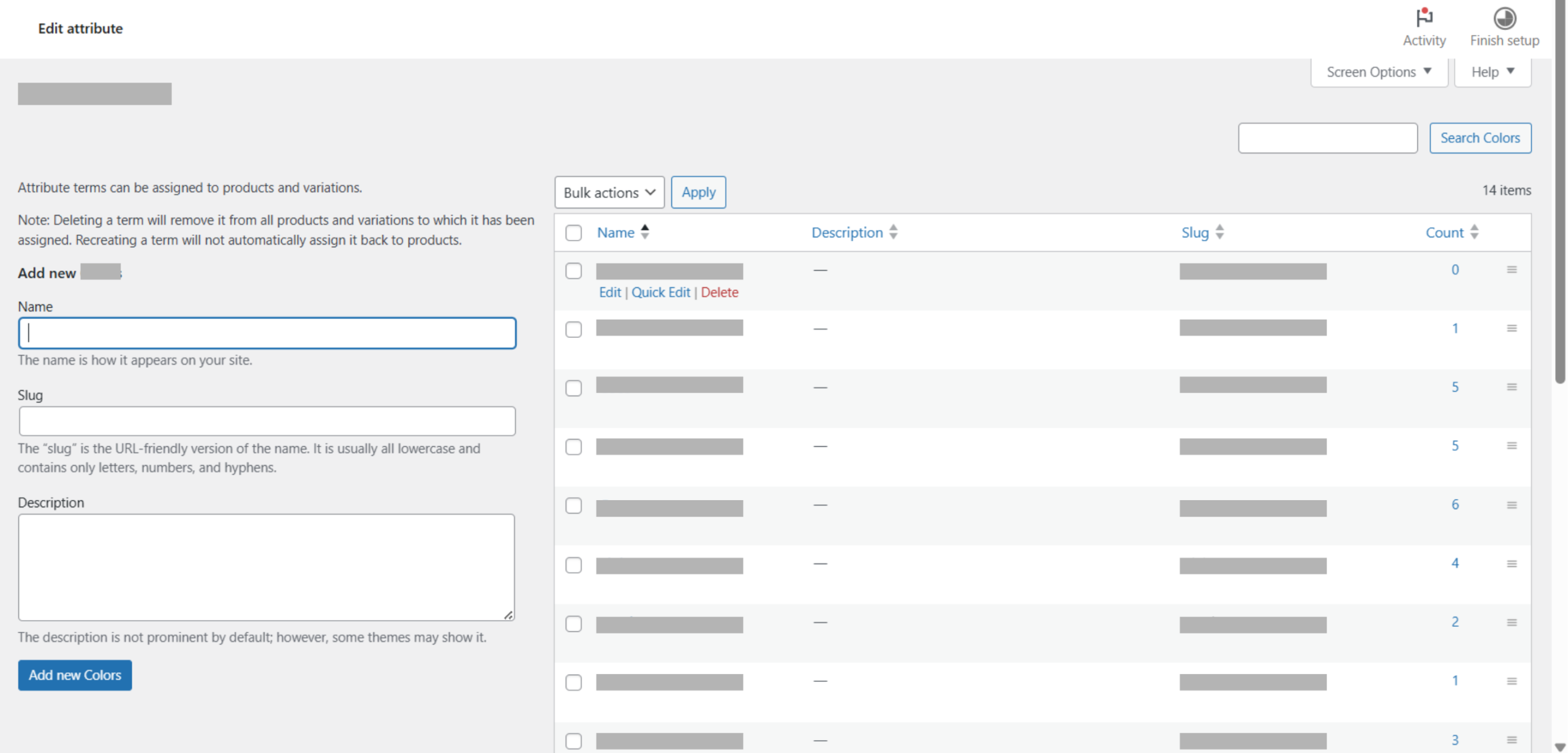
Add Attribute Terms (Variations)
  1. In the attributes list, locate the attribute you just created.

  2. Click Configure terms.

This will open the page where you add variation options.

Create Variation Options

  1. Enter the variation name
    Example: Black, Beige, Blue

  2. (Optional) Fill in the slug or description.

  3. Click Add new.

Repeat these steps to add more variation options under the same attribute.

Rearrange Variation Order
  1. Drag the hamburger (≡) icon next to each variation to reorder them.
  2. The order set here will be reflected on the product page

2